
Wholesale Explained: Why B2B Marketplaces Won’t Get You More Doors
There are 500 pairs of a sneaker in the warehouse, but your rep still can’t fill a retailer’s order. The buyer needs sizes 9 through 11, and most of what’s left is sizes 6 and 7. You have stock to sell, just very little of what that account needs.
Some inventory problems start with the mix you bought from the factory. Others happen because the right pairs have already been promised elsewhere, or because your ordering tools show availability that’s out of date. Buying more inventory can leave you with more leftover stock unless you understand what caused the shortage.
Enough Pairs, the Wrong Mix
One footwear style can become dozens of SKUs once you account for its sizes and widths. Add more colorways, and even a modest collection gives your team a lot of combinations to keep in stock. A healthy total for the style can easily hide a broken size run.
The mix that works across your business may also be wrong for an individual account. A workwear retailer might need considerably more depth in wide widths than another store buying the same shoe. Applying the same size curve to both can leave one retailer asking for replenishment while the other is still trying to sell its opening order.
Historical sales should help you make those decisions, but stockouts can make that history misleading. Suppose you bought 100 pairs of a particular size and shipped them all by June. Retailers kept asking for that size through August, but you had nothing left to send. Your season-end report shows 100 pairs shipped, even though demand continued after the stock ran out.
If you use those 100 pairs as the basis for next season’s forecast, you can repeat the shortage while believing you’ve made a decision grounded in sales data. The report needs the stockout date beside it, along with whatever your team knows about the orders it couldn’t fill.
Wholesale orders also tell you only what retailers bought from you. A large opening order reflects the buyer’s expectations; retailer sell-through shows what shoppers subsequently purchased. Where accounts can share sales and remaining inventory by SKU, use that information to check whether the initial size mix worked.
Without sell-through, review reorder activity alongside availability and ask buyers about the sizes they struggled to keep on the shelf. That gives you a useful but incomplete picture. A retailer may have stopped asking after being told a size was unavailable, so recorded requests won’t capture every missed sale.
The Factory Needs an Answer Before You Have the Full Picture
Even a better understanding of demand leaves you with purchasing constraints. You may need to commit months before the shoes reach stores, and a factory minimum might require more pairs of a colorway than your forecast supports. By the time the season reveals a mistake, changing the incoming order may be impossible.
Prebooks give you retailer commitments to work with before production. They belong in a broader planning conversation, alongside what you learned from previous seasons. A strong preseason order book still leaves the team deciding how much additional inventory to carry for at-once sales and replenishment.
Keep the reason for those additional quantities visible in the buying plan. Stock purchased to cover expected reorders has a different justification from stock added to meet a factory minimum. If a colorway only reaches its minimum because you’ve increased the uncommitted portion of the buy, the team should discuss whether there’s enough evidence to support that exposure.
That conversation might lead to a smaller assortment or a revised color mix. It might also lead to accepting the larger buy, with sales given a clear view of what still needs commitments. Either way, the factory requirement should remain visible rather than disappearing inside a reassuring total.
Your Rep Shouldn’t Have to Take the Order Back
Sometimes the buy is reasonable and the inventory arrives as planned. The trouble starts when the business treats everything in the shipment as available to the next buyer.
Suppose 1,000 pairs arrive, with 700 already committed to prebooks. Some of the balance is reserved for DTC. If the wholesale portal shows all 1,000 pairs as available for at-once orders, your team can accept purchases it won’t be able to fulfill.
B2B footwear inventory management has to account for those commitments as well as physical stock. Buyers need availability for the delivery window they’re shopping, with future-season orders clearly distinguished from inventory that can ship now.
Channel allocations need the same care. A DTC promotion can consume sizes wholesale accounts were expecting to reorder unless the business has decided how those demands will be balanced. Define what each channel can sell and who can approve a transfer. When the plan changes, check which retailer commitments could be affected before releasing the stock.
Then make sure those decisions reach the people selling. Your ERP might have updated inventory while a rep is working from yesterday’s spreadsheet. Another account buys the remaining pairs online, and the rep promises them to a different retailer. Now someone has to call that buyer back and explain why the sizes they just ordered aren’t coming.
This is where the connection between your ERP and wholesale portal becomes essential. Confirm what inventory quantity the portal receives and whether it accounts for reserved stock. Establish when an order reserves inventory and how quickly other buyers see the resulting change.
See Kai Run described a recognizable version of this problem in a customer interview. The footwear brand had distributed inventory through emailed spreadsheets, with errors occurring as that information was transferred into order forms. After adopting Envoy B2B, its sales team and accounts could see shared, current availability and place orders on the spot.
Start With One Style Before the Next Buy
Choose a style that ran out of important sizes while leaving other pairs behind. Schedule a review before the next factory order is locked, with sales and operations contributing alongside the person responsible for the buy.
Keep the review focused on a decision your team can still change:
- Sales brings the demand the shipment report missed. Gather unfilled requests and buyer feedback about gaps in the size run. Be clear about which quantities were requested and which were estimates.
- Operations establishes what was available. Confirm when sizes sold out and whether stock was reserved for other accounts or channels. Check whether the availability shown during ordering matched what could actually be sold.
- Buying or planning compares the findings with the proposed order. Review current prebooks by SKU against planned factory quantities. Add retailer sell-through where it’s available, while keeping the gaps in your evidence visible.
- Agree on the adjustment and who will make it. The review might support more depth in wide sizes, less of a slow colorway, or a change to how stock is allocated. Record the decision before the purchase order is submitted.
A style that sold out of wide sizes may need a different mix rather than a larger total buy. If the pairs were in the warehouse but unavailable to wholesale, increasing production could leave the underlying allocation problem untouched. The review should establish which situation you’re dealing with.
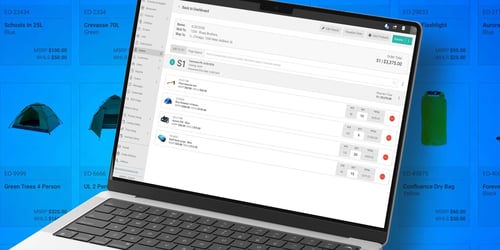
Envoy B2B supports this work where retailer demand becomes an order. Its size-run ordering lets buyers review quantities across the sizes they need, while a configured ERP connection brings updated availability into that experience. The inventory data supplied and the timing of updates need to match how your business manages commitments.
Prebook orders captured by account and delivery window give the team commitments to compare with the planned factory buy. Retailers can also place replenishment orders through the portal, making those purchases part of the wholesale order history available for review. Your team uses that evidence to decide what to purchase and how to allocate it.
Use the style from your review as the starting point for a conversation with Envoy B2B about size availability and prebook ordering. Ask us to walk through how a rep or retailer would build that order, including the sizes they need and when they need them.